What you will achieve
- Identify the imported model's unit system.
- Avoid comparing bare numbers or confusing elevation with pressure.
Before you start
- Use an INP file whose unit system you know.
- Run the model before inspecting flow, velocity, or pressure.
The INP defines the starting units
In EPANET, flow units in the OPTIONS section determine the model's unit family. For example, GPM indicates US customary units and LPS indicates metric units. The interface language does not determine the unit system.
- A Spanish-language interface can display a US model; an English interface can display SI.
- Read the units after importing; do not infer them from the drawing's size.
Read quantity, number, and unit together
This table is a guide to common quantities. For each actual result, read the label displayed by the application.
| Quantity | SI | US |
|---|---|---|
| Length and elevation | m | ft |
| Pipe diameter | mm | in |
| Velocity | m/s | ft/s |
| Sample flow units | L/s | GPM |
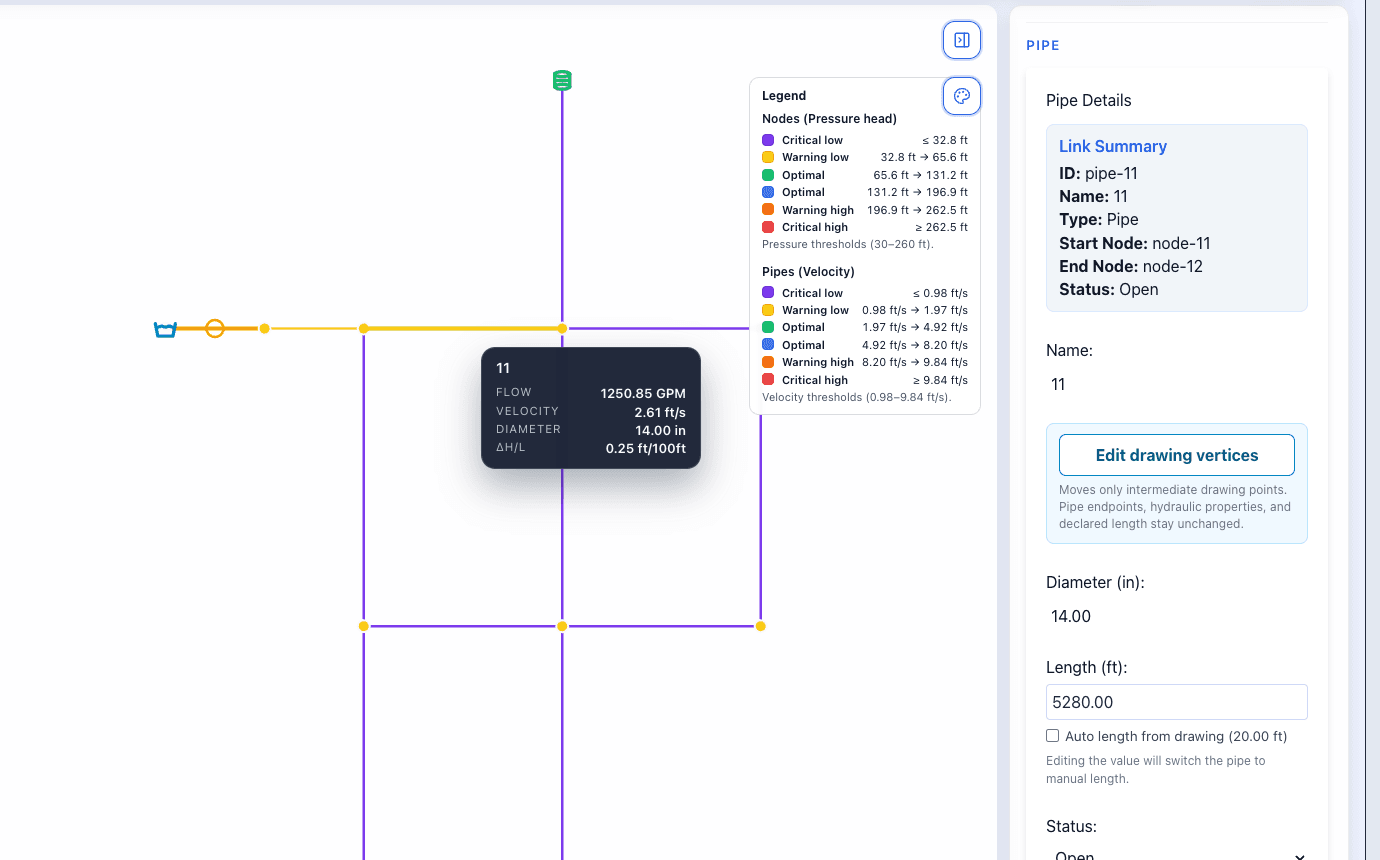
- In the screenshot, pipe 11 has a flow of 1250.85 GPM and a diameter of 14.00 in.
- Do not compare 14 in with 14 mm as if they were the same diameter.
Elevation and pressure answer different questions
Elevation locates a height relative to a reference. Pressure describes the water's condition at a point; it can be expressed in metres of water or psi, among other units. A pressure head expressed in feet of water is not a value in psi.
- In this screenshot, the Pressure legend uses feet of water.
- Read that label before comparing it with a table or profile.
- In a profile, distinguish node elevation, hydraulic grade line, and pressure.
Do it in WatDis
- Select a calculated pipe and record flow, velocity, diameter, and their units.
- Check the pressure unit in the legend.
- Before comparing two models, confirm that the quantities and units are equivalent.
Common mistakes
Confusing ft with psi
These are different units. If the panel shows feet of water, do not read the number as psi.
Changing only a data label
Writing a different unit does not convert the physical value. This guide focuses on recognizing and reading units.